Capture ideas. Track progress.
Connect your thoughts.
SparkTrail is a fast, visual workspace that combines Markdown notes, flexible task progress, and interactive project mapping into one distraction-free tool.

Track Progress Without the Stress.
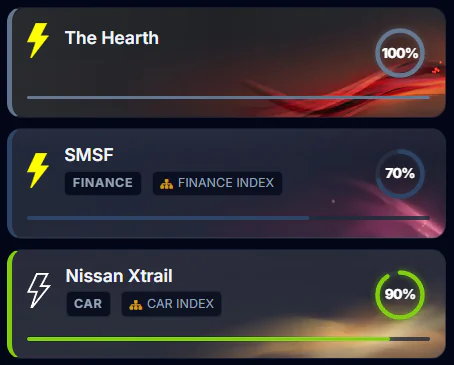
Not every thought fits into a rigid calendar deadline. SparkTrail lets you track projects by momentum and completion level, from an initial idea (10%) to a completed deliverable (100%).
Organized Progress Columns
Visual columns organize your notes and tasks by completion stage, helping you see at a glance what is active, what is in progress, and what is finished.
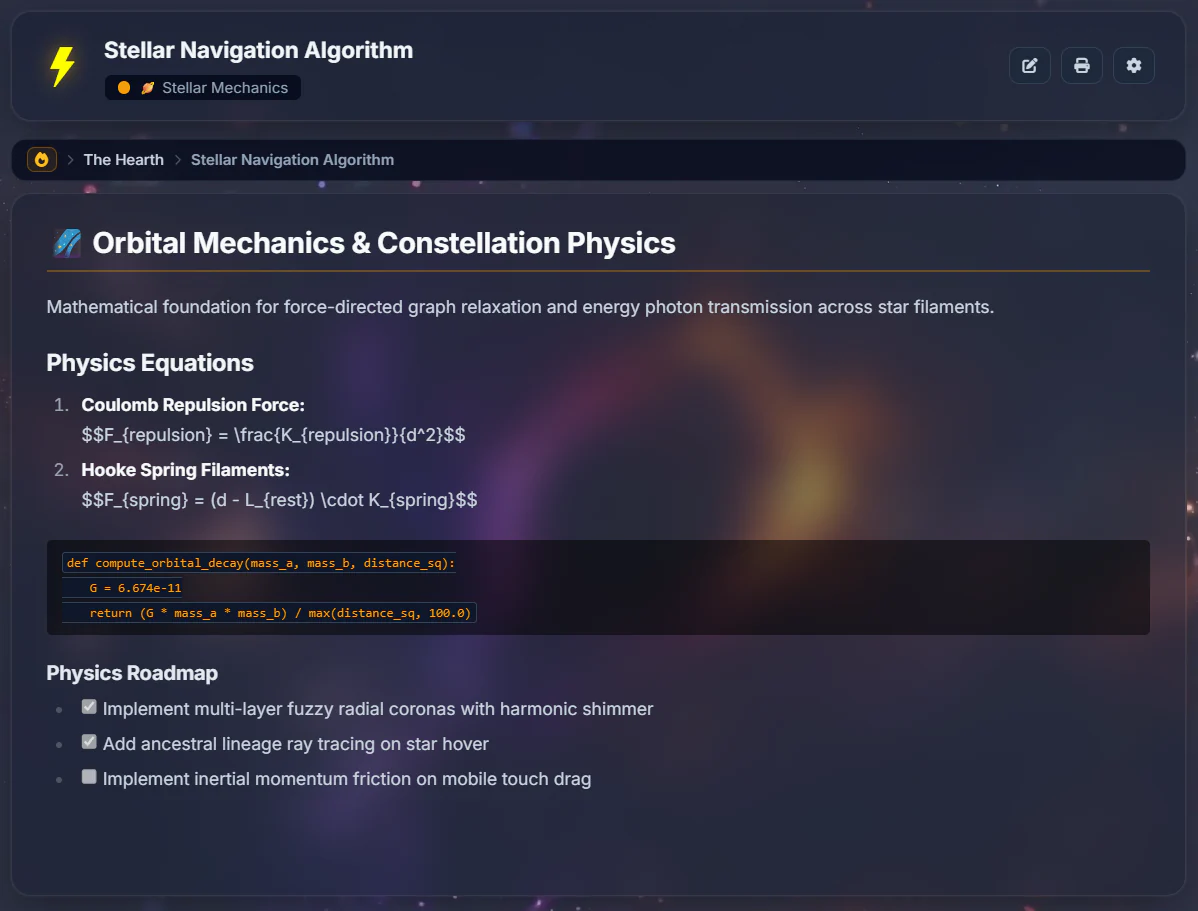
Markdown Notes & Quick Glints
A clean, fast Markdown editor with built-in tools for internal note links, web URLs, calendar dates, interactive checklists, and charts.
Fast Search & Categorization
Filter across custom color-coded categories, tags, and starred items with real-time full-text search.
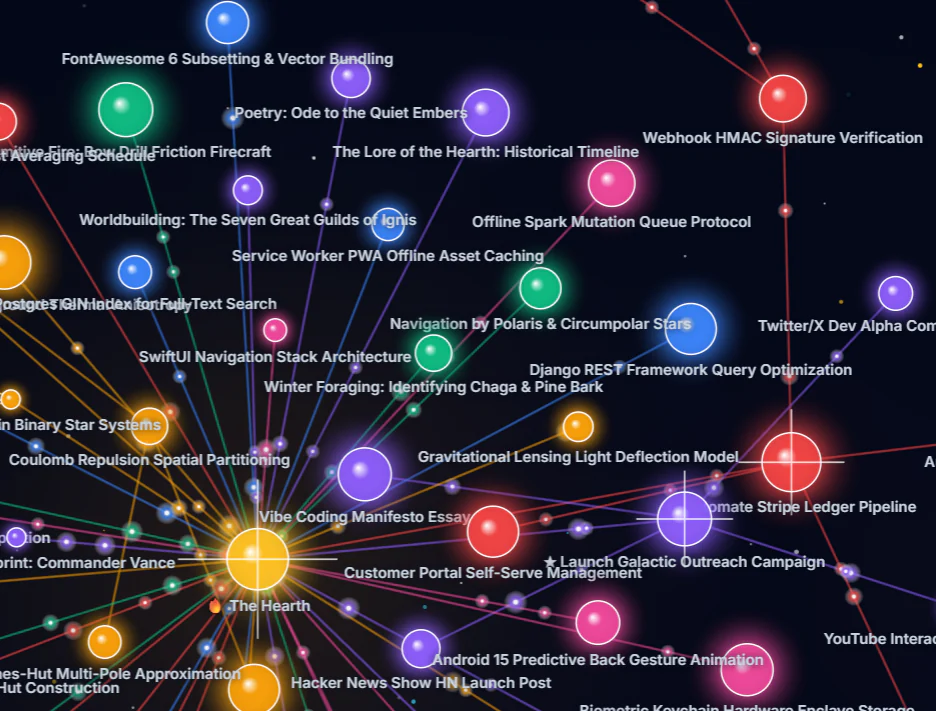
Map Projects Visually.
SparkTrail gives you a living visual map of how your ideas connect. Group child tasks under parent projects and navigate your entire workspace effortlessly.
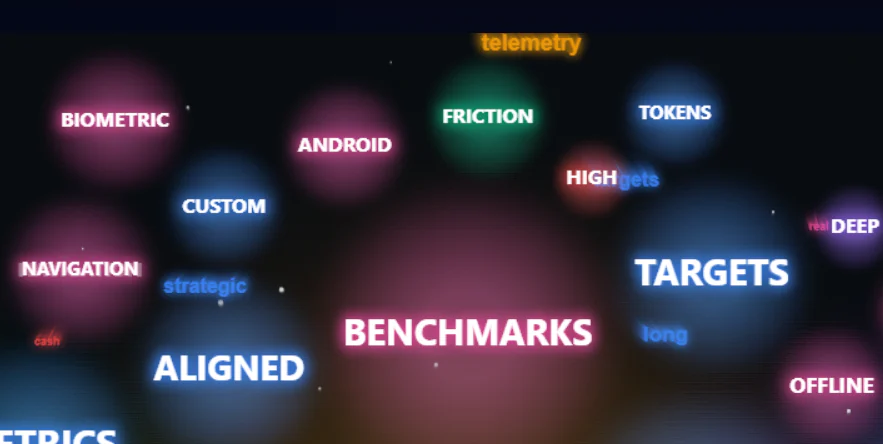
Instant Keyword Search.
SparkTrail automatically surfaces the most frequent keywords across all your notes into an interactive word cloud. See emerging patterns and filter matching notes with one click.
- Zero manual tagging required — keywords are extracted automatically
- Click any keyword to instantly filter your workspace to matching notes
Protect Confidential Notes.
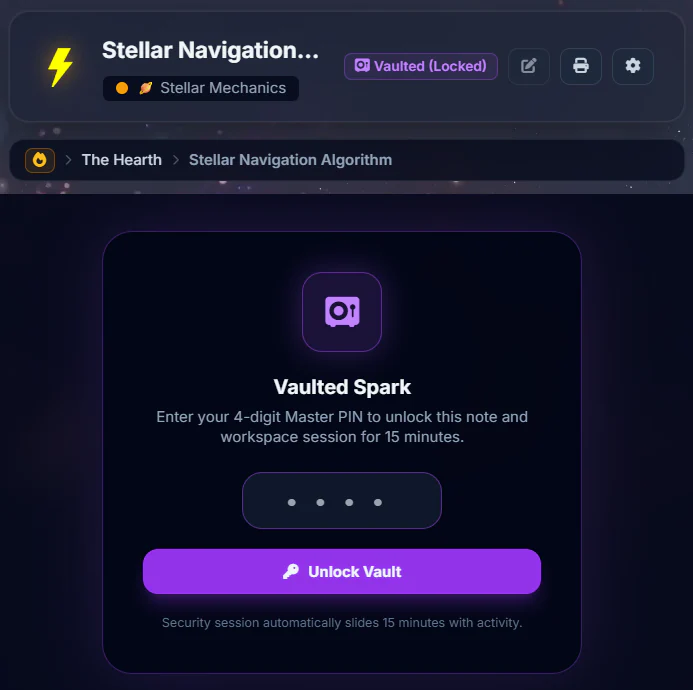
Keep personal thoughts, client data, and sensitive ideas private. An optional 4-digit PIN system locks sensitive notes behind cryptographic PBKDF2 hashing.
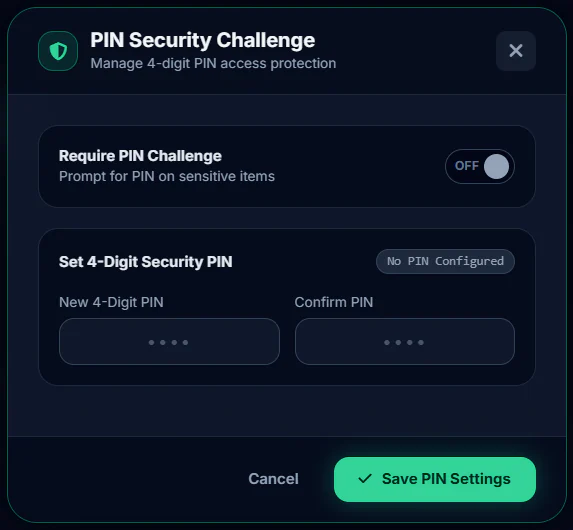
Automatic Inactivity Lock
15-minute sliding session timeout with automatic brute-force lockout protection.
Automatic Content Redaction
When your session locks, protected notes are immediately disguised as 🔒 [Locked Vault]
across searches, exports, and dashboard views until you unlock them.
Export Anywhere. Ready for AI.
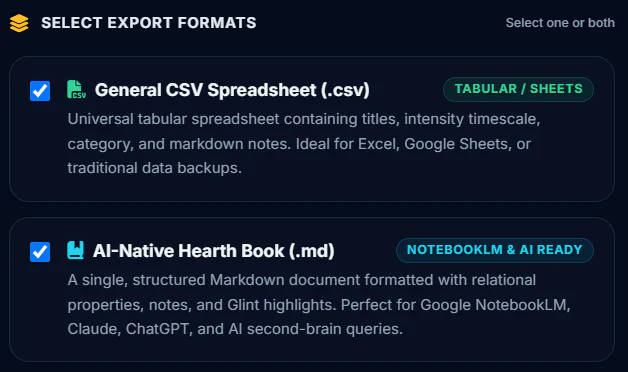
Your data belongs to you — zero proprietary lock-in. Export your entire workspace at any time into clean Markdown files or CSV spreadsheets, structured and ready to drop straight into your favorite AI tools.
Compatible with your favorite tools:
Ready to organize your ideas without the clutter?
Start capturing notes, organizing projects, and mapping connections with a free 7-day trial. No credit card required.
Start Free 7-Day Trial